

PureVPN Review: Is It Worth Your Money in 2026?
Choosing the right VPN isn’t as simple as it should be. In an ideal world, the best VPN would be cheap, fast, secure, and run quietly in the background while protecting your data with strong encryption. In reality, many VPN providers exaggerate their features, follow questionable practices, or simply don’t deliver what they promise. That’s why doing proper research is essential, even though it can be time‑consuming and confusing.
In this review, we’ve done that work for you. We take an in‑depth look at PureVPN, examining its strengths, weaknesses, technical performance, and overall value. By the end of this review, you’ll know whether PureVPN is the right VPN for your needs in 2026.

PureVPN is one of the oldest VPN providers on the market, originally launched with a strong focus on user privacy and security. Over the years, however, it became controversial due to past cooperation with law enforcement and misleading privacy claims, which damaged its reputation. In recent years, the company has taken steps to rebuild trust by improving transparency, strengthening its privacy policy, and undergoing continuous independent audits.
PureVPN basics:
PureVPN has never been known as the fastest VPN on the market, so our 2026 testing focused on seeing whether performance has improved. We tested PureVPN over three days, at three different times per day, using servers in the UK, US, Japan, and Australia. Our real location was Eastern Europe, and all results were compared against our baseline speeds without a VPN.
Overall, PureVPN delivered acceptable speeds on nearby servers, but performance dropped noticeably on long‑distance connections, which affects high‑resolution streaming and gaming.
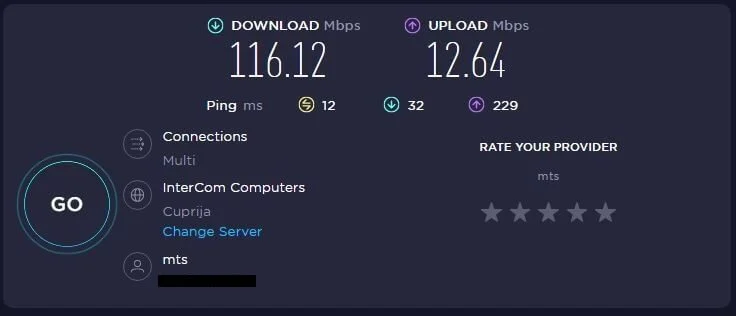
PureVPN showed mixed results depending on the operating system and server distance. Performance was stronger on macOS than Windows, especially for downloads.
Download speed results
| Windows | |
|---|---|
| Without VPN | 107.44 mbps |
| With VPN | 60.27 mbps |
| Mac | |
|---|---|
| Without VPN | 418.89 mbps |
| With VPN | 310.88 mbps |
Upload speed results
| Mac | |
|---|---|
| Without VPN | 28.60 mbps |
| With VPN | 15 mbps |
| Windows | |
|---|---|
| Without VPN | 28.89 mbps |
| With VPN | 25.70 mbps |
These results place PureVPN around average for Windows and above average for Mac, with download speeds remaining high enough for general browsing and HD streaming on closer servers.
Latency was where PureVPN struggled the most, particularly on Windows. Increased ping makes fast‑paced online gaming and cloud gaming noticeably less enjoyable.
Ping test results
| Windows | |
|---|---|
| Without VPN | 10 ms |
| With VPN | 48 ms |
| Mac | |
|---|---|
| Without VPN | 11 ms |
| With VPN | 24 ms |
While casual gaming is possible on nearby servers, competitive gaming suffers due to higher ping and occasional lag spikes. Compared to ExpressVPN and NordVPN, PureVPN showed weaker consistency in gaming performance.
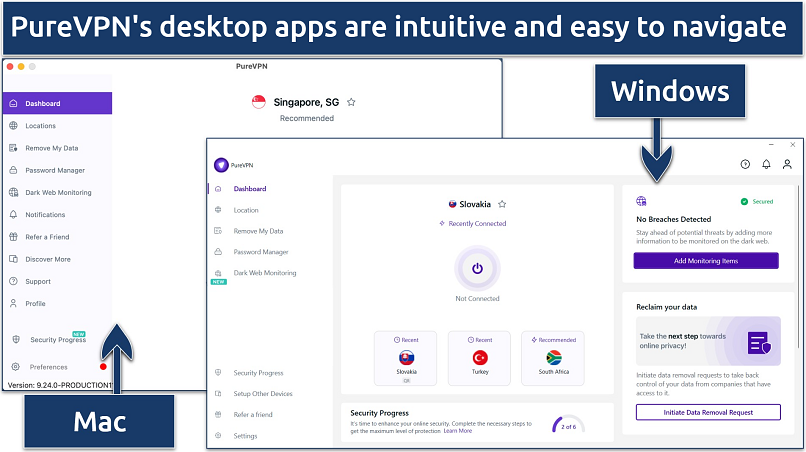
PureVPN offers a smooth and beginner‑friendly experience across a wide range of devices. Its apps are usually the first point of contact for users, and overall, they are easy to install, simple to navigate, and consistent across platforms. While the design is very minimal and clean, the bright white interface can feel a bit harsh during long sessions.
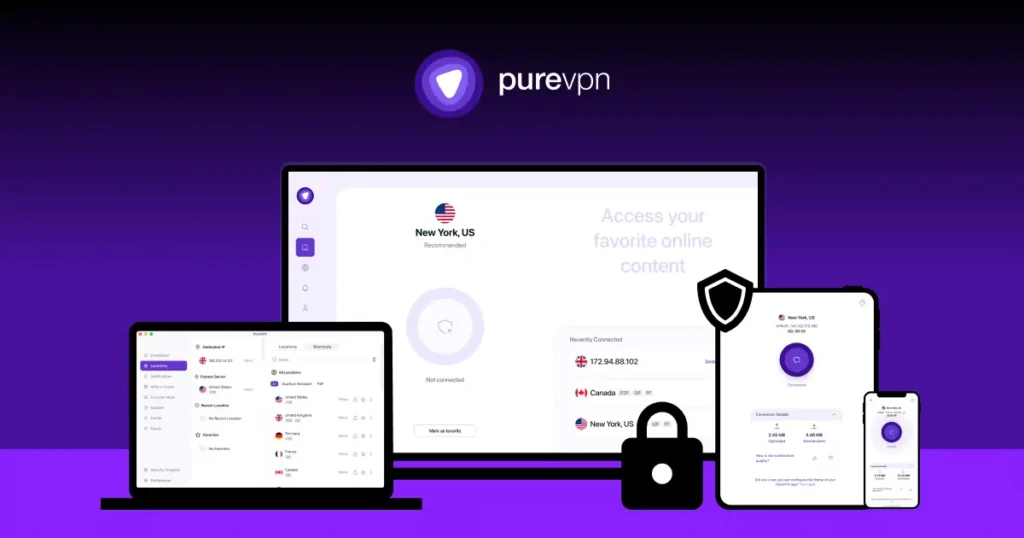
PureVPN provides native apps for all major desktop and mobile operating systems, along with browser extensions for popular browsers. The apps share a similar layout, making it easy to switch between devices without relearning the interface.
Supported platforms:
Connecting to a server is quick and simple. Just select a location and connect in two to three seconds. The desktop app includes built‑in access to FAQs and support tickets, which is very convenient for troubleshooting without leaving the app.

PureVPN offers strong support for streaming devices and smart TVs. Native apps are available for Android TV and Amazon Fire TV Stick, and the experience closely matches the mobile and desktop versions. These apps are easy to install from official app stores and include key features like protocol switching and favorite servers.
For gaming, PureVPN works well on PCs and mobile devices. Console users can also use it on PlayStation, Xbox, and Nintendo Switch by installing the VPN on a compatible router or sharing the connection from a PC. While there is no Smart DNS feature, PureVPN provides detailed setup guides to make console connections easier.
This is one of PureVPN’s strongest areas. It supports nearly every internet‑enabled device, including routers, which allows you to protect devices that don’t support VPN apps natively. Router setup is surprisingly easy, with support for many popular models and even pre‑configured routers.
Compatibility highlights:
PureVPN allows 10 devices to connect at the same time, which is more generous than many competitors. In testing, multiple devices were able to stream and browse simultaneously without noticeable slowdowns.
PureVPN has significantly improved its privacy practices over the years. While it was involved in a major controversy in 2017 after cooperating with an FBI investigation, the provider has since overhauled its policies to rebuild user trust. Today, PureVPN positions itself as a privacy‑focused, no‑logs VPN, backed by independent audits and a safer legal jurisdiction.
Although some users may still be cautious due to its past, PureVPN’s current privacy setup is far more transparent and reliable than before.

Short answer: No identifiable logs.
PureVPN claims it does not log any data that could identify users or track their online activity. However, it does collect some limited, anonymized metadata, which may concern privacy purists.
Data PureVPN does NOT store:
Data PureVPN DOES store (anonymized):
PureVPN states that this data cannot be used to identify users, but competitors like ExpressVPN collect even less. Users can also request complete account data erasure at any time.
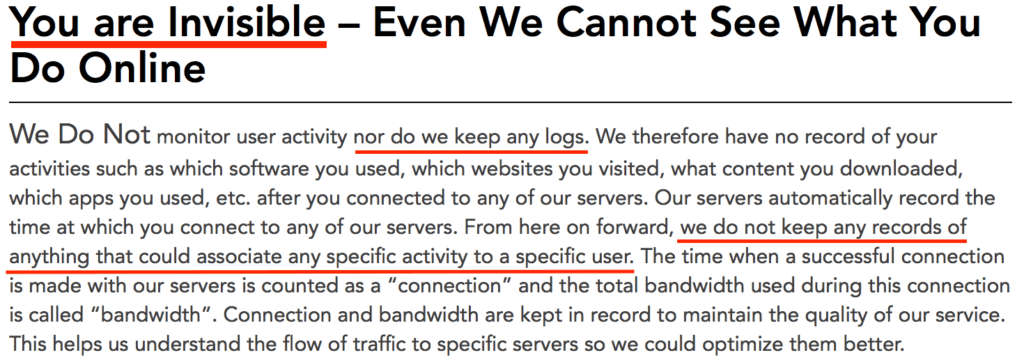
PureVPN has undergone two major independent audits, which greatly strengthens its privacy claims.
Audit highlights:
✅ Altius IT audit found no evidence of logs that could identify users
✅ Always‑on audit by KPMG, allowing surprise inspections at any time
✅ Publishes semi‑annual transparency reports via its Trust Center
The only downside is that full audit reports are not publicly available, which some VPNs do provide.
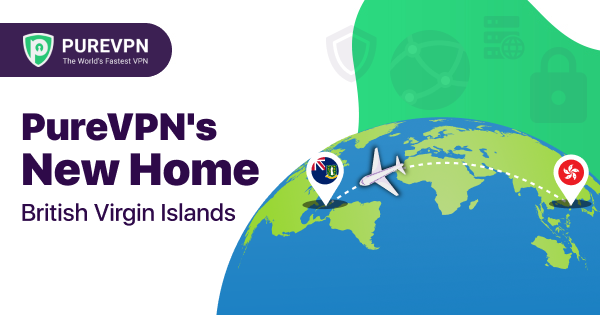
PureVPN moved its legal headquarters from Hong Kong to the British Virgin Islands (BVI) in 2021. This is a major improvement, as the BVI is:
That said, PureVPN’s parent company, Gaditek, is based in Pakistan, which may still raise concerns for very privacy‑sensitive users.
PureVPN claims it works in China and recommends using the UDP protocol to bypass restrictions. While VPN use in China is legally complex, there are no known public cases of individuals being prosecuted solely for VPN usage.
⚠️ Always research local laws before using a VPN in restricted countries.
PureVPN offers a solid and modern security stack, covering all essential VPN protections and adding a few advanced features not commonly found elsewhere.
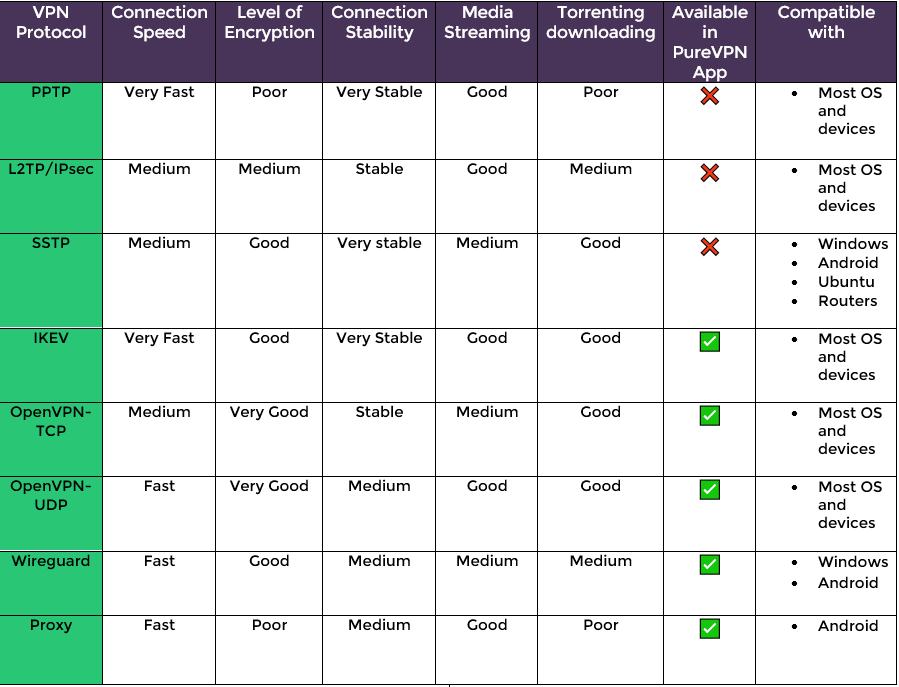
PureVPN uses AES‑256 encryption, the industry standard trusted by governments and security agencies worldwide. All traffic is encrypted automatically once connected.
Supported VPN protocols:
WireGuard brings a noticeable performance boost, especially compared to older protocols.
PureVPN includes a reliable Internet Kill Switch (IKS) that blocks internet access if the VPN connection drops, preventing IP leaks.
Security protections:
✅ Kill switch (basic, reliable)
✅ IPv6 leak protection (always active)
✅ DNS leak protection
While advanced kill‑switch options are missing, the feature worked consistently in testing.
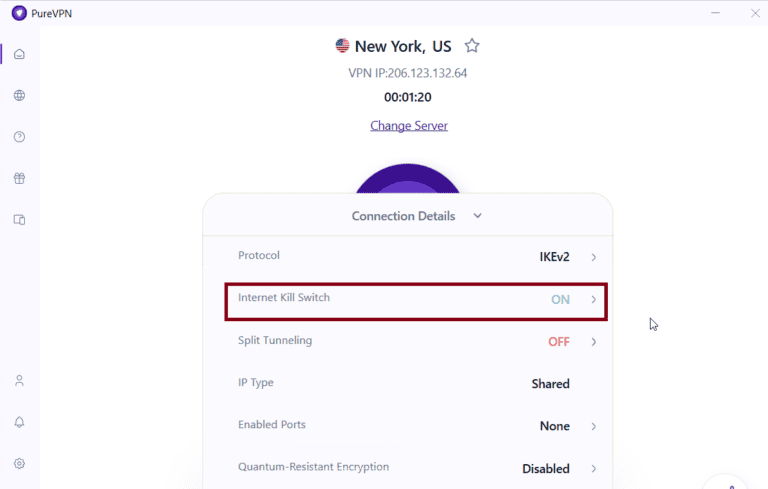
PureVPN offers app‑based split tunneling, allowing users to exclude specific apps from the VPN tunnel. However, it does not support IP‑ or website‑based split tunneling, which limits flexibility.
One standout feature is quantum‑resistant encryption keys, developed with Quantinuum. These are designed to protect against future quantum computing threats and are currently available on select servers.
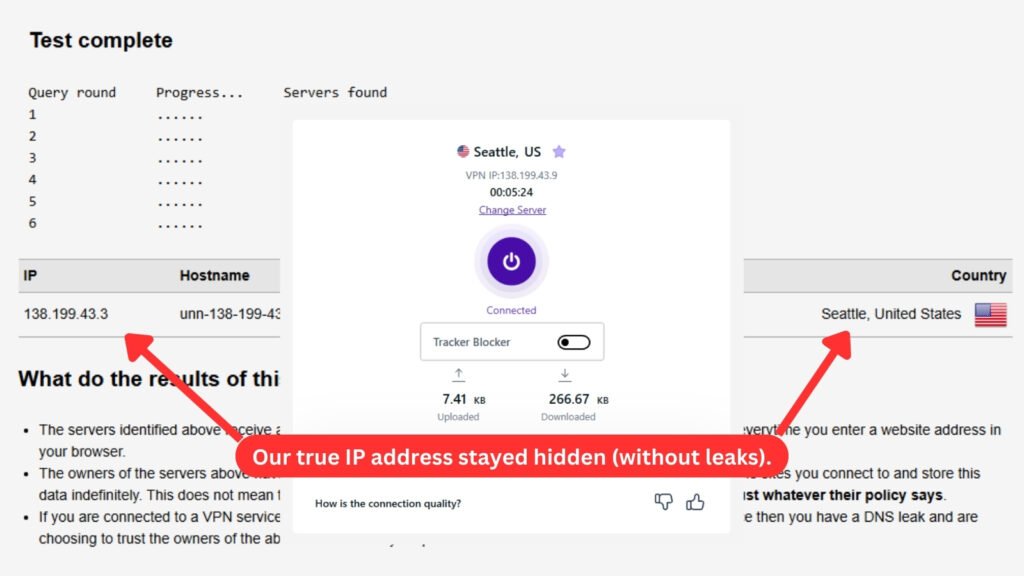
We tested PureVPN across multiple servers using tools like ipleak.net.
✅ No IP leaks
✅ No DNS leaks
✅ No WebRTC leaks
PureVPN successfully concealed real IP addresses and DNS requests in all tests.
We’ve also reviewed a wide range of VPN providers beyond PureVPN, each offering different strengths in areas such as speed, privacy, streaming access, and advanced security features. To get a broader perspective and compare how other services perform under the same testing criteria, you can browse our full collection of VPN reviews here:
👉 Browse all VPN reviews
PureVPN advertises itself as a strong VPN for streaming, but real‑world testing tells a different story. During our streaming tests, PureVPN struggled to consistently unblock major platforms, especially Netflix. This makes it a weak choice for users who mainly want to access geo‑restricted streaming libraries while traveling.

Despite multiple attempts, PureVPN failed to unblock Netflix across several regions:
These results show that PureVPN currently does not work with Netflix, regardless of the region tested. This is disappointing, especially when compared to competitors like ExpressVPN, which reliably access multiple Netflix catalogs.
For a broader look at which services consistently unblock Netflix across multiple regions, we’ve also put together a dedicated guide covering the best VPNs for Netflix. This article compares providers based on real‑world testing of Netflix libraries, streaming stability, and speed, making it a useful reference if accessing international Netflix catalogs is a priority.
👉 Read our guide to the best VPNs for Netflix
PureVPN also delivered mixed results with other popular streaming services:
❌ Hulu & Disney+ (US): Blocked
✅ BBC iPlayer (UK): Successfully unblocked
✅ Hotstar (India): Worked smoothly with no buffering
Overall, PureVPN can unblock some regional platforms, but it lacks the consistency required for a reliable streaming VPN.
Streaming summary:
While PureVPN struggles with streaming, it performs much better for torrenting and P2P activities. It supports torrenting on optimized servers and even allows P2P traffic on many standard servers, which gives users more flexibility.
PureVPN provides P2P‑optimized servers and supports port forwarding, which can significantly improve torrent speeds. In testing, torrenting speeds remained stable even when connected to distant servers.
Torrenting test results:
PureVPN helps protect user privacy while torrenting by:
⚠️ Note: PureVPN does not offer P2P servers in the US, UK, Canada, or Australia, which may affect speeds for users in those regions.
P2P security highlights:
✅ Encrypted connections
✅ IP address protection
✅ Port forwarding support
❌ Limited P2P locations
PureVPN offers several subscription plans designed for individual users and businesses. Overall, it’s a budget‑friendly VPN on long‑term plans, while monthly subscriptions are significantly more expensive. All plans include a 31‑day money‑back guarantee and a 7‑day trial for $0.99, allowing you to test the service with minimal risk.
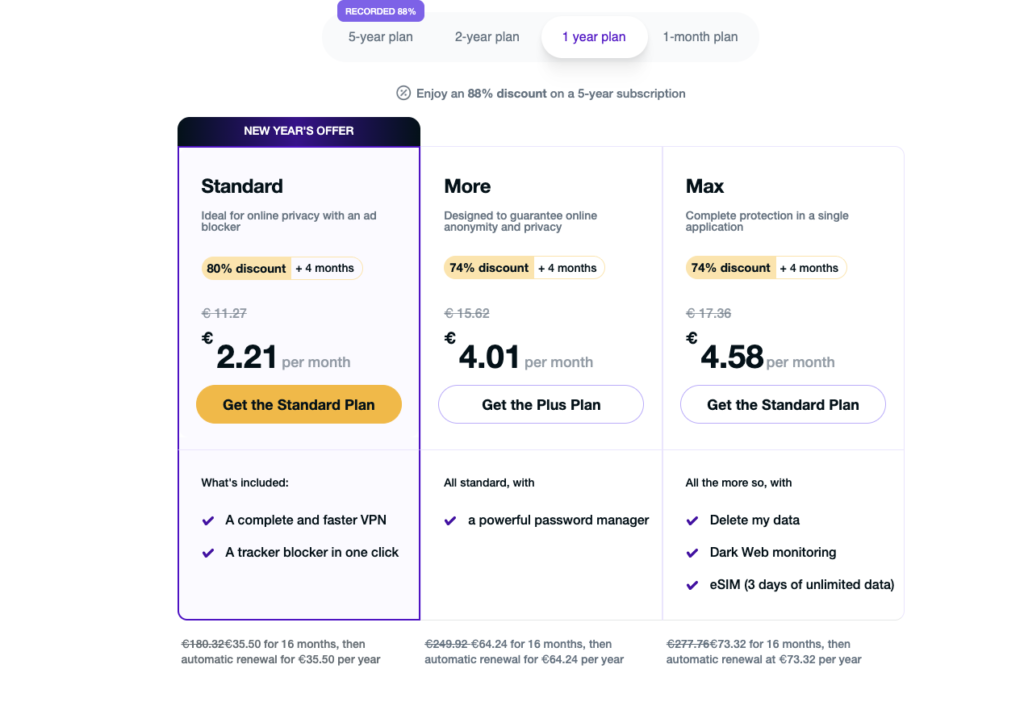
PureVPN provides three main personal plans, each adding extra tools beyond the core VPN service.
Complete protection in one app
$19.95
$3.55 per month
Made for online anonymity & privacy
$17.95
$3.15 per month
Best for online privacy with Ad blocker
$12.95
$2.15 per month
Complete protection in one app
$19.95
$5.55 per month
Made for online anonymity & privacy
$17.95
$4.55 per month
Best for online privacy with Ad blocker
$12.95
$2.55 per month
Complete protection in one app
$19.95 per month
Made for online anonymity & privacy
$17.95 per month
Best for online privacy with Ad blocker
$12.95 per month
With any subscription, PureVPN allows:
✅ 10 simultaneous device connections
✅ Unlimited server switching
✅ Apps for Linux, Android TV, Google TV, Fire TV Stick, and Kindle
For unsupported devices, PureVPN can be manually configured on:
This makes PureVPN flexible for both home and multi‑device setups.

PureVPN supports several payment options, including privacy‑friendly ones.
Accepted payment methods:
⚠️ Important: Crypto payments are not eligible for refunds.
Refund policy highlights:
✅ 31‑day money‑back guarantee
✅ Refund requests via live chat
⚠️ Support may be pushy before approving refunds
✅ Refunds usually processed within 5 days
PureVPN offers a large and well‑distributed server network, making it one of the strongest providers in this category. With 6,000+ servers across 65–78 countries and nearly 100 city‑level locations, the network covers every major continent, including regions often ignored by other VPNs, such as Africa and parts of Eastern Europe. While some competitors offer slightly more countries, PureVPN’s balance of size, stability, and features stands out.
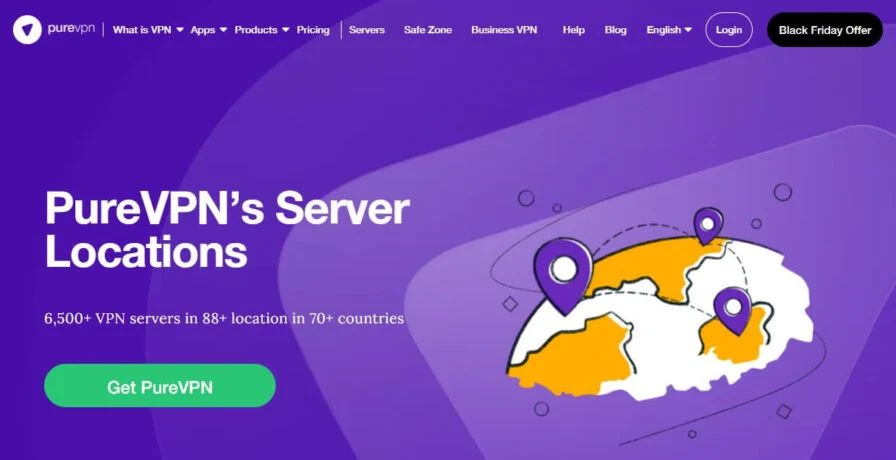
PureVPN’s servers are spread globally to ensure reliable connections and nearby access for most users.
Network highlights:
The majority of popular locations use physical servers, which improves performance and reliability.
PureVPN is transparent about its use of virtual server locations, which are clearly labeled. These servers are not inherently unsafe but may affect speed if the physical hardware is far away. After user feedback, PureVPN significantly reduced its reliance on virtual servers.
Virtual server locations include:
All major and high‑traffic locations are backed by physical servers, which is reassuring.
PureVPN’s server network comes with several advanced features that add flexibility and performance.
Notable server features:
These options make PureVPN suitable for streaming, remote access, hosting, and privacy‑focused tasks.
One standout aspect is that PureVPN owns its entire server network, reducing reliance on third‑party data centers and minimizing privacy risks. During testing, connections were stable, and no unexpected disconnects occurred.
While PureVPN does not yet use RAM‑only servers, adopting them would further strengthen its privacy posture. Still, the current infrastructure is robust and dependable.
If you’re not especially tech‑savvy, having reliable customer support can make a big difference. PureVPN offers multiple support channels, with live chat being the most prominent and accessible option. Overall, support is easy to reach and helpful, though not always perfect.
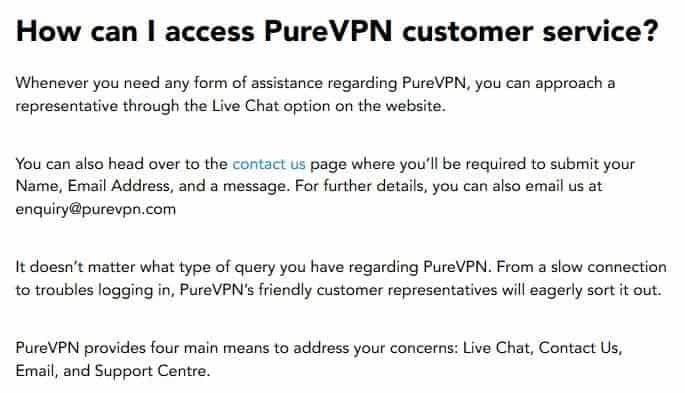
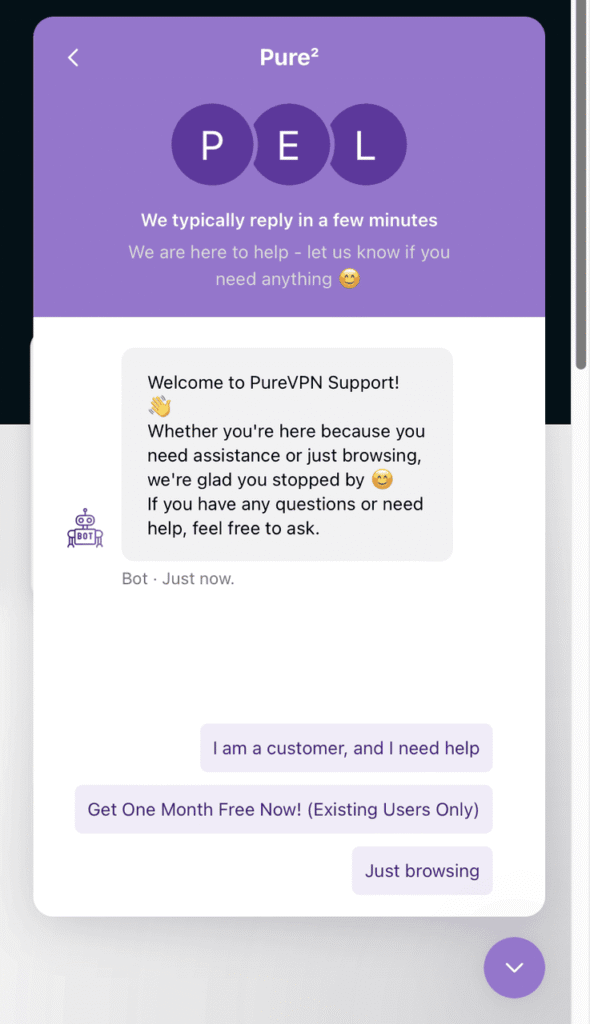
PureVPN makes contacting support extremely easy. In fact, you often don’t even need to initiate the conversation yourself. If you stay on the website for more than a few seconds, the live chat widget automatically pops up, offering assistance. This confirms that 24/7 live chat support is always available.
Support channels available:
✅ 24/7 live chat support
✅ Email support
✅ Contact form
❌ No phone support
Live chat is the fastest way to get help, while email support works well for less urgent issues, although responses are slower.
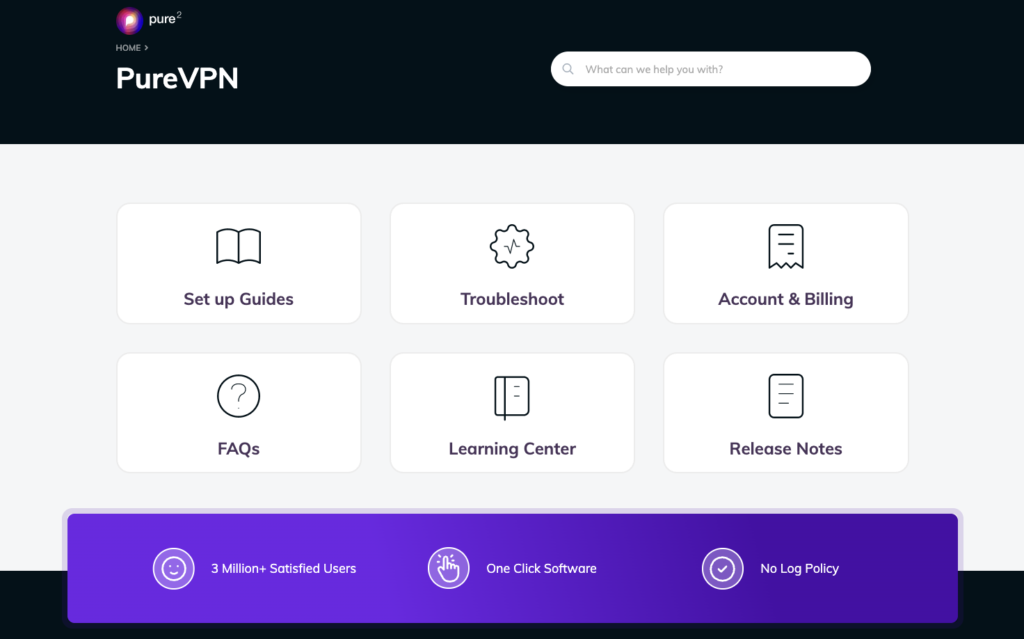
In addition to direct support, PureVPN provides a large online Knowledge Base filled with setup guides, FAQs, and troubleshooting articles. These resources are useful for resolving common issues without contacting support and cover most platforms and devices.
Self‑help resources include:
These guides are easy to follow and helpful for beginners.
For readers who want a quick overview of the strongest performers, we’ve created a comprehensive guide highlighting the best VPNs available today. This ranking is based on extensive hands‑on testing, including security audits, speed tests, streaming access, and overall value for money.
👉 View our best VPNs list